
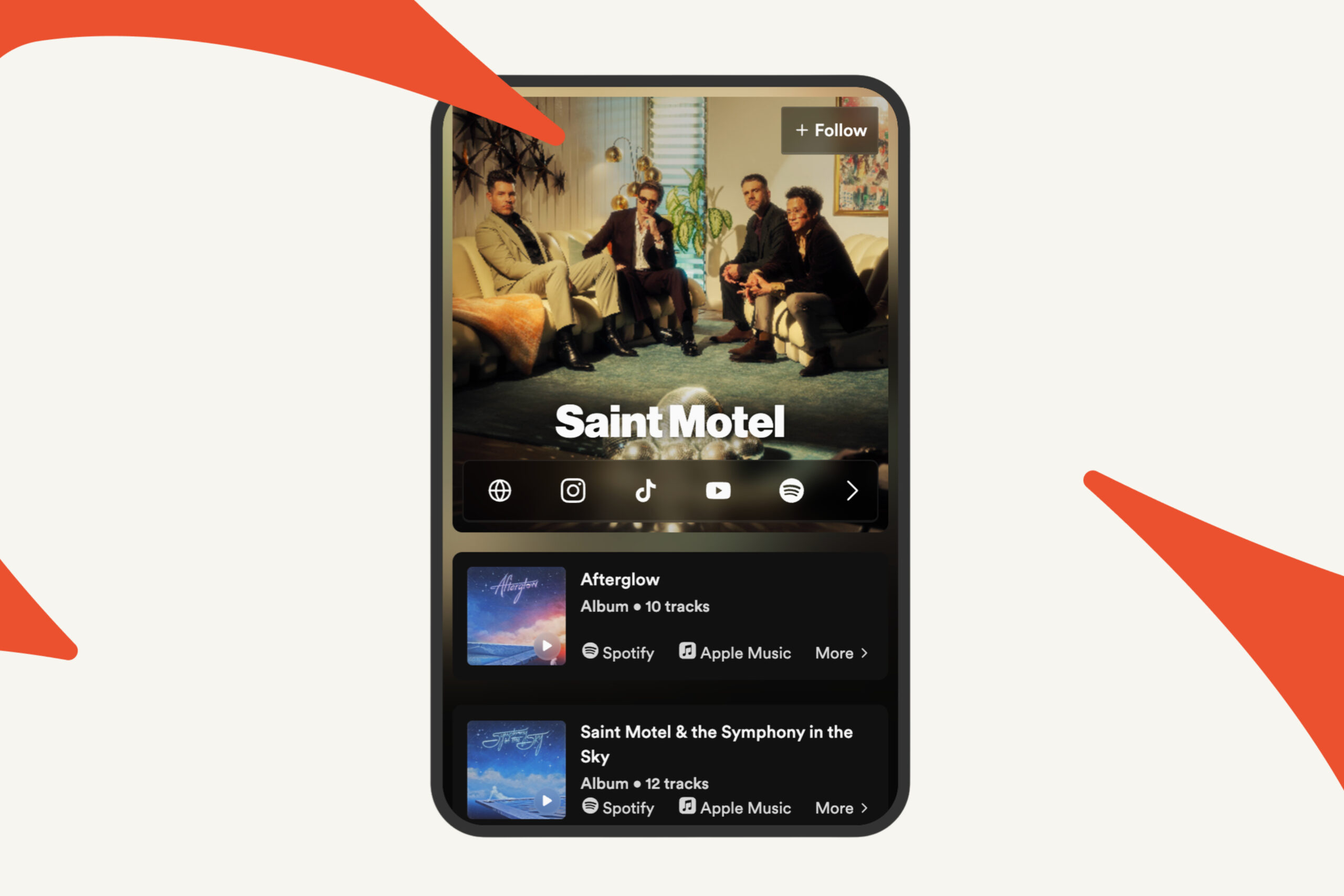
You already send your tracks to curators on Groover. You can now also build the page fans land on when they tap the link in your bio. It’s called your Link-in-bio and it lives at groover.me/yourname. Besides your streaming links, it lets you collect fans’ emails and write to them directly.
If you used Temple before, you’ll recognise most of it. Temple is now part of Groover, and everything you built there came with you (details at the end).
1. Your page, in one link
Go to Your profile and site in your Groover account. There are five tabs:
- Content, for everything on your page and the order it appears in
- Appearance, for colours, fonts, layout and your profile image or video
- Analytics, for visits and clicks on your page
- Audience, to track fan activity
- Messages, where you’ll be able to contact your fans
A live preview on the right shows your page as fans will see it and updates while you edit. On mobile, a Preview button opens the live page in a new tab instead.
Your page lives at groover.me/yourbandname. You can copy the link, open it or change it from the top of the page.
The page background is generated from your profile picture, so use a sharp, high-resolution photo.

2. Building the page with blocks
Everything on the page is a block. Two blocks sit at the top and can’t be moved. Artist socials shows your streaming and social links as icons (Spotify, Apple Music, Deezer, Instagram, TikTok, YouTube, SoundCloud, Bandcamp and more), with one link per platform. Artist info holds your name, country, genres, moods and bio.
Below that, you arrange the page however you like. Click Add content and choose a block: a track or album, an event with ticket links, merch, a video, an audio embed, a simple link, or a section that groups several blocks under one cover to keep a long page tidy.
To add a release, paste a link or search by name. Groover works out whether it’s a single or an album and fills in the name and streaming links. If you added your Spotify link when you signed up, your three latest releases are already on the page.
Drag blocks to reorder them, and use the “…” menu to edit or delete one. Each block can also be shared on its own when you want to send fans straight to one release or one show. On a track or album block, Promote starts a Groover campaign for that release.
3. Public or curator-only
Every block has an eye icon with two settings. Public blocks are visible to anyone who opens your link. Curator-only blocks are hidden from fans but visible to the curators you send a track to.
That means one page serves both audiences. Fans see a page built around your current release, and curators get the extra context that helps them understand your project. Artist info is curator-only by default, since genres and tags are mostly there for curators, but you can make it public.
4. Drops: collect fans’ emails
A Drop is a sign-up block. Fans leave their email in exchange for something you choose, like an exclusive track, a private link, early access to tickets or a merch discount.
To create one, go to Content, click Add content, choose Drop and fill in:
- a square cover (at least 500×500 px)
- a name and a short description
- the message fans receive as soon as they sign up
- a button label: Enter, Notify me or Subscribe
- optionally, one extra question, like their city or favourite song
For fans, signing up takes a few seconds: they enter their email, accept the terms and confirm. Your message reaches them by email straight away. These welcome emails are free, up to 1,000 per Drop.
Each Drop shows how many fans have subscribed. If you delete a Drop later, its fans stay in your Audience, tagged with the Drop they came from.
5. Audience: your fan list
Everyone who signs up through a Drop goes into your Audience, which only you can see. For each fan you get their contact details, the Drop they came through and their approximate location.
You can search by name or email, or filter by country, city or Drop. If you’re planning a show in Berlin, the city filter tells you how many fans you have there.
6. Fan Messaging: email your fans
Once you have subscribers, you can email them from Your profile and site → Fan Messaging. You don’t need a separate newsletter tool.
- Click New message and pick Email
- Choose who receives it: all subscribers or a segment, such as fans in one city
- Write a subject and your message, with a live preview on the side
- Send yourself a test email (it’s free)
- Send now, or schedule it for later in your own timezone
You can save drafts at any time. The Sent tab shows how many fans received and opened each message.
You get 100 free emails every month, and they’re always used first. After that, 1 Grooviz sends 500 emails, and whatever you don’t use stays on your account as credits that never expire. Before you send, you see what the message will cost and what your balance will be afterwards.
Every email includes an unsubscribe link. Fans who unsubscribe no longer count in your audience or your costs.
Coming from Temple?
Your page, Drops, fan list, links and analytics all moved across. Links you already shared still work, so you don’t have to update your bios or old posts. If your Groover account uses a different email from your Temple account, write to support@groover.co with both addresses and the team will link them.
Where to put your link
Start with your social bios, since that’s the link people tap first. Then add it to your Spotify for Artists, SoundCloud, Bandcamp and Audiomack profiles, your YouTube descriptions, your email signature and your press kit. The page updates as you add releases and dates, so you won’t need to swap the link out.